
How to Work From Home and Stay Productive
Unlock your potential for remote work success. This comprehensive guide offers practical strategies, essential tips, and actionable advice for anyone looking to master how to work from home and stay productive, whether you're a seasoned remote professional or just starting your journey into work from home jobs.
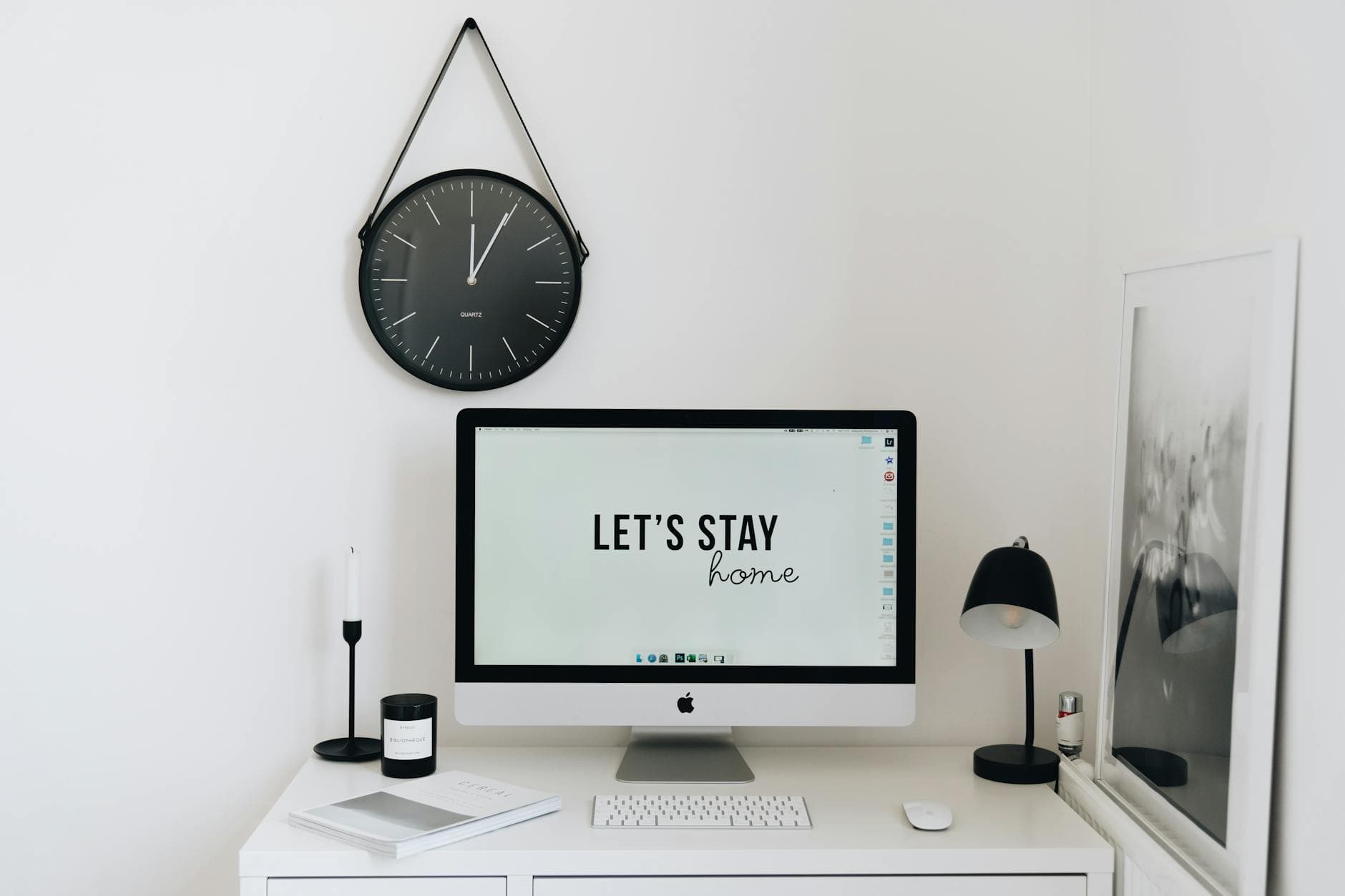
The allure of remote work is undeniable: ditching the commute, crafting your own schedule, and enjoying the comfort of your home. Yet, for many, the reality of working from home can quickly become a battle against distractions, a struggle for focus, and a constant negotiation with the ever present 'home' environment. If you're finding yourself wondering how to work from home and stay productive, you're not alone. This guide is designed to provide practical, actionable strategies for anyone looking to maximize their output and thrive in a remote setting, whether you're new to home based jobs or a seasoned remote professional.
The Foundation: Setting Up for Success
Before diving into daily tactics, establishing a solid foundation is paramount. This involves creating an environment conducive to focus and defining clear boundaries. Without these, even the best productivity techniques will falter.
Creating Your Dedicated Workspace
This is arguably the most critical step for anyone asking how to work from home and stay productive. A dedicated workspace sends a psychological signal to your brain that it's time to focus. It doesn't need to be a separate room; a corner of a room, a well organized desk in a quiet area, or even a specific spot at your dining table (if you can pack it away) can work.
Key elements of a productive workspace include:
- Ergonomics: Invest in a comfortable chair and ensure your desk height allows for proper posture. Your wrists should be straight when typing, and your screen should be at eye level. This prevents physical strain, which can be a major productivity killer.
- Lighting: Natural light is ideal, but if not available, ensure you have adequate artificial lighting to prevent eye strain. A desk lamp can provide focused light.
- Organization: A cluttered space leads to a cluttered mind. Keep your desk tidy, with only essential items within reach. Utilize organizers, drawers, and shelves to store supplies. Regularly declutter.
- Minimizing Distractions: Position your workspace away from high traffic areas of your home. If you have a window with a view that tends to distract, consider facing a wall or using a privacy screen.
Action Step: Dedicate 30 minutes this week to declutter and organize your current workspace, or identify a suitable location and set it up with the essentials. Focus on making it a place you feel motivated to work in.
Establishing Clear Boundaries
Remote work blurs the lines between professional and personal life. To work from home and stay productive, you must actively draw these lines.
- Work Hours: Define your start and end times. Communicate these hours to family members and colleagues. Stick to them as much as possible. This helps manage expectations and prevents work from bleeding into your personal time.
- Physical Boundaries: When your workday is over, physically leave your workspace. If it's a dedicated room, close the door. If it's a desk, pack away your work items. This ritual signals the end of work.
- Mental Boundaries: Avoid checking work emails or taking calls outside your designated hours unless absolutely necessary. This detachment is crucial for preventing burnout and maintaining long-term productivity.
Action Step: Write down your ideal work hours for the week and share them with your household. Set a recurring alarm on your phone for your designated end time.
Mastering Your Workday: Strategies for Focus and Flow
With a solid setup and clear boundaries, you can now implement strategies to enhance your daily work from home productivity.
Time Management Techniques
Effective time management is the cornerstone of successful remote work. Several techniques can help you structure your day and maintain momentum.
- The Pomodoro Technique: Work in focused bursts, typically 25 minutes long, followed by a 5-minute break. After four 'pomodoros', take a longer break (15-30 minutes). This method combats mental fatigue and keeps you engaged.
- Time Blocking: Allocate specific blocks of time for particular tasks or types of work. For example, 9-10 AM for emails, 10 AM-12 PM for deep work on Project A, 1-2 PM for meetings. This provides structure and ensures important tasks get dedicated attention.
- Task Batching: Group similar tasks together and complete them in one go. For instance, respond to all emails at once, make all phone calls consecutively, or handle all administrative tasks in a dedicated block.
Practical Example: If you have a project requiring significant concentration, block out two hours in your calendar for 'deep work'. Turn off notifications, close unnecessary tabs, and focus solely on that task. You'll likely achieve more than if you tried to squeeze it in between answering emails and attending quick calls.
Tackling Distractions Head-On
Distractions are inevitable when working from home, but learning to manage them is key to staying productive.
- Digital Distractions: Social media, news sites, and endless notifications are major culprits. Use website blockers (like Freedom or Cold Turkey) during focused work periods. Turn off non-essential notifications on your computer and phone. Schedule specific times for checking email and social media.
- Household Distractions: Communicate with family members or housemates about your work schedule and your need for uninterrupted time. Use headphones, even if you're not listening to anything, as a visual cue that you're focused. If possible, schedule important calls or deep work during times when household activity is typically lower.
- Internal Distractions: Sometimes the biggest distractions come from within – the urge to do laundry, clean, or snack. Acknowledge these thoughts, jot them down if necessary, and redirect your attention back to your work. Remind yourself of your scheduled break times.
Realistic Tradeoff: You might have to forgo immediate gratification from checking social media to achieve deeper focus. This requires discipline, but the payoff in terms of completed tasks and quality of work is significant.
Maintaining Momentum and Motivation
Staying motivated over the long term is crucial for consistent work from home productivity.
- Set Clear Daily Goals: Start each day by identifying your top 1-3 priorities. Accomplishing these provides a sense of achievement and momentum.
- Take Regular Breaks: Short, frequent breaks are more effective than one long break. Get up, stretch, walk around, or do a quick chore. This prevents mental fatigue and can actually boost creativity and problem-solving.
- Reward Yourself: Acknowledge your accomplishments. This could be a short walk in the park after completing a challenging task, a favorite snack during a break, or an enjoyable activity at the end of the workday.
- Stay Connected: Remote work can sometimes feel isolating. Make an effort to connect with colleagues through virtual coffee breaks, team chats, or video calls. This social interaction can boost morale and combat loneliness.
Action Step: At the end of each workday, spend five minutes reviewing what you accomplished. This positive reinforcement can fuel your motivation for the next day.

The Importance of Well-being for Sustained Productivity
True work from home productivity isn't just about output; it's about sustainability. Neglecting your well-being will inevitably lead to burnout and decreased effectiveness.
Prioritizing Physical Health
Your physical state directly impacts your mental capacity and energy levels.
- Movement: Incorporate physical activity into your day. Take short walks during breaks, do a quick home workout, or stretch regularly. Avoid sitting for prolonged periods.
- Nutrition: Plan healthy meals and snacks. Avoid relying on quick, unhealthy options that can lead to energy crashes. Stay hydrated by keeping water at your desk.
- Sleep: Consistent, quality sleep is non negotiable for cognitive function. Aim for 7-9 hours per night and maintain a regular sleep schedule, even on weekends.
Practical Example: Instead of scrolling through your phone during a break, use that time for a 15-minute walk around your neighborhood. The fresh air and movement can significantly improve your focus when you return to your tasks.
Nurturing Mental Health
Working from home presents unique mental health challenges.
- Mindfulness and Stress Management: Practice mindfulness techniques like deep breathing or short meditations. Identify stress triggers and develop coping mechanisms.
- Disconnecting: As mentioned earlier, truly switching off from work is vital. Avoid the temptation to constantly be 'on'. Engage in hobbies and activities that help you relax and recharge.
- Seeking Support: If you're struggling with isolation, anxiety, or burnout, don't hesitate to reach out for support. Talk to friends, family, or consider professional help.
Realistic Tradeoff: You might need to say no to extra work or social commitments if they compromise your ability to rest and recharge. Protecting your mental energy is an investment in your long-term productivity.
Advanced Tips for Remote Work Pros
Once you've mastered the basics of how to work from home and stay productive, consider these advanced strategies to further optimize your remote work experience.
Optimizing Your Technology and Tools
Leverage technology to your advantage.
- Project Management Tools: Utilize tools like Asana, Trello, or Monday.com to organize tasks, track progress, and collaborate with others. These are invaluable for managing multiple projects and deadlines.
- Communication Platforms: Master your chosen communication tools (Slack, Microsoft Teams, etc.). Set clear expectations for response times and use status updates effectively.
- Automation: Explore tools that can automate repetitive tasks, such as scheduling social media posts, generating reports, or managing customer inquiries.
Action Step: Research one new productivity tool or app this month that could streamline a repetitive task in your workflow.
Continuous Learning and Adaptation
The remote work landscape is constantly evolving. Stay updated on best practices and new tools.
- Professional Development: Dedicate time to learning new skills or deepening your expertise. Online courses, webinars, and industry blogs are excellent resources.
- Experimentation: Don't be afraid to try new productivity techniques or adjust your routines. What works for one person might not work for another. Be willing to experiment and find what best suits your working style and the demands of your work from home jobs.
- Feedback: Seek feedback from colleagues or clients on your work and communication. This can provide valuable insights for improvement.
Frequently Asked Questions
What are the biggest challenges when trying to work from home and stay productive?
Common challenges include distractions from family or household chores, the blurring of lines between work and personal life, lack of a dedicated workspace, and feelings of isolation. Overcoming these requires conscious effort in setting boundaries, creating routines, and establishing a clear physical and mental separation between work and leisure.
How can I create a dedicated workspace at home, even with limited space?
Even a small corner can become a dedicated workspace. Look for underutilized areas like a closet, a section of a living room or bedroom, or even a wide hallway. Invest in a portable desk or a folding table that can be put away when not in use. Ensure it has good lighting and is free from clutter. The key is consistency; use this space exclusively for work to build a mental association.
What's the best way to manage distractions when working from home?
Proactive management is crucial. Communicate your work hours and needs to household members. Utilize noise cancelling headphones. Turn off non essential notifications on your computer and phone. If digital distractions are a major issue, consider website blockers or productivity apps that limit access to time-wasting sites during work hours. Schedule specific times for checking emails and social media.
How do I avoid burnout when working remotely?
Burnout is a real risk. Combat it by establishing clear start and end times for your workday, taking regular short breaks, and ensuring you take a proper lunch break away from your desk. Schedule downtime and activities you enjoy. It's also important to disconnect fully after work hours, avoiding the temptation to check emails or work late. Prioritize sleep and physical activity.
Conclusion: Your Journey to Productive Remote Work
Mastering how to work from home and stay productive is an ongoing process, not a destination. It requires self awareness, discipline, and a willingness to adapt. By establishing a strong foundation, implementing effective time management and distraction tackling strategies, prioritizing your well-being, and leveraging the right tools, you can transform your home office into a hub of productivity. Embrace the flexibility of remote work and build a sustainable, fulfilling career from the comfort of your own space. This comprehensive work from home and stay productive guide is just the beginning. Keep experimenting, keep learning, and enjoy the benefits of a well managed remote work life.
FAQ
What are the biggest challenges when trying to work from home and stay productive?
Common challenges include distractions from family or household chores, the blurring of lines between work and personal life, lack of a dedicated workspace, and feelings of isolation. Overcoming these requires conscious effort in setting boundaries, creating routines, and establishing a clear physical and mental separation between work and leisure.
How can I create a dedicated workspace at home, even with limited space?
Even a small corner can become a dedicated workspace. Look for underutilized areas like a closet, a section of a living room or bedroom, or even a wide hallway. Invest in a portable desk or a folding table that can be put away when not in use. Ensure it has good lighting and is free from clutter. The key is consistency; use this space exclusively for work to build a mental association.
What's the best way to manage distractions when working from home?
Proactive management is crucial. Communicate your work hours and needs to household members. Utilize noise cancelling headphones. Turn off non essential notifications on your computer and phone. If digital distractions are a major issue, consider website blockers or productivity apps that limit access to time-wasting sites during work hours. Schedule specific times for checking emails and social media.
How do I avoid burnout when working remotely?
Burnout is a real risk. Combat it by establishing clear start and end times for your workday, taking regular short breaks, and ensuring you take a proper lunch break away from your desk. Schedule downtime and activities you enjoy. It's also important to disconnect fully after work hours, avoiding the temptation to check emails or work late. Prioritize sleep and physical activity.
Cypex CloudBook
Part of the Cypex CloudBook editorial team focused on practical guides for freelancers, remote workers, and digital professionals.
Related tools
Time Tracker
Track billable hours, focus sessions, client work, and daily totals with a lightweight browser-based timer.
free time tracker
Related guides
Related posts

10 Productivity Hacks for Remote Workers (Work Smarter in 2026)
Struggling with productivity while working from home? These proven hacks will help you stay focused and work smarter.
Top Remote Jobs for Beginners in 2026 (No Experience Required)
Looking for remote jobs with no experience? This complete guide shows you how to start working from home and earn online step by step.

Work From Home Jobs That Pay Weekly
Discover legitimate work from home jobs that pay weekly, offering consistent income for freelancers and remote workers. Learn about popular roles, how to find them, and strategies to secure your spot.